A dark background does something a white page can’t: photos, renders and project shots look brighter on it, and the whole site feels more like a gallery than a document. That’s why so many photographers, architects and designers want a dark portfolio.
Most “best dark WordPress themes” lists show themes built around page builders. This one only has block themes: you change the colors, layouts, header and footer in the Site Editor, without extra plugins. Full disclosure: I made three of the five. The other two are by Catch Themes and SuperbThemes.
How I chose them
- It’s a block theme. Everything is edited in the Site Editor, no page builder.
- It’s dark out of the box, or it has a ready dark style you switch on in one click.
- It’s on WordPress.org, so you can install it from your dashboard, and it was updated in 2026.
1. Lei: a black editorial portfolio for experts
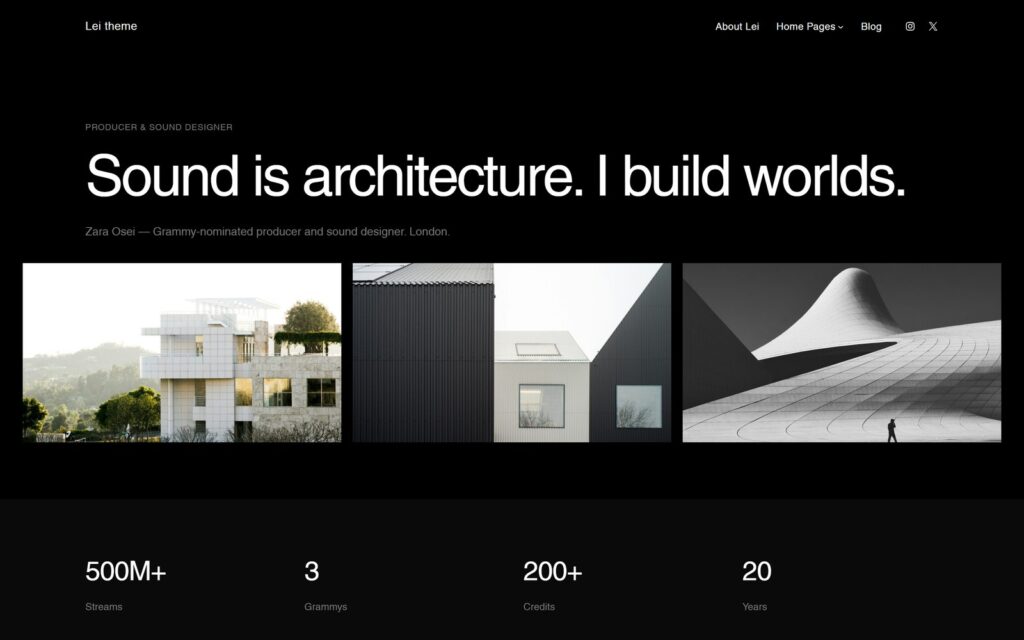
Best for: consultants, architects, lawyers, therapists, filmmakers and photographers who want their site to feel high-end.
Lei is dark by default: a deep black background, light editorial type and a lot of empty space. I made it for people whose skill is the product, so it’s built from core blocks, large headlines and short texts, with no page builder.
The free version has 5 starter patterns and two styles, dark and light. Lei PRO adds 87 patterns and 8 homepages written for specific professions: brand strategist, architect, photographer, lawyer, chef, filmmaker, therapist and music producer. Seven of its 12 color styles are dark, from pure black to Midnight, Navy, Forest and Burgundy, so you can keep the mood and still change the accent.
The catch: five patterns are a start, not a full site. Expect to build some pages yourself or move to PRO.
Price: free on WordPress.org, 100+ active installs. Lei PRO costs €50 for a year of updates or €125 for life.
2. Anastasi: black-and-white photography
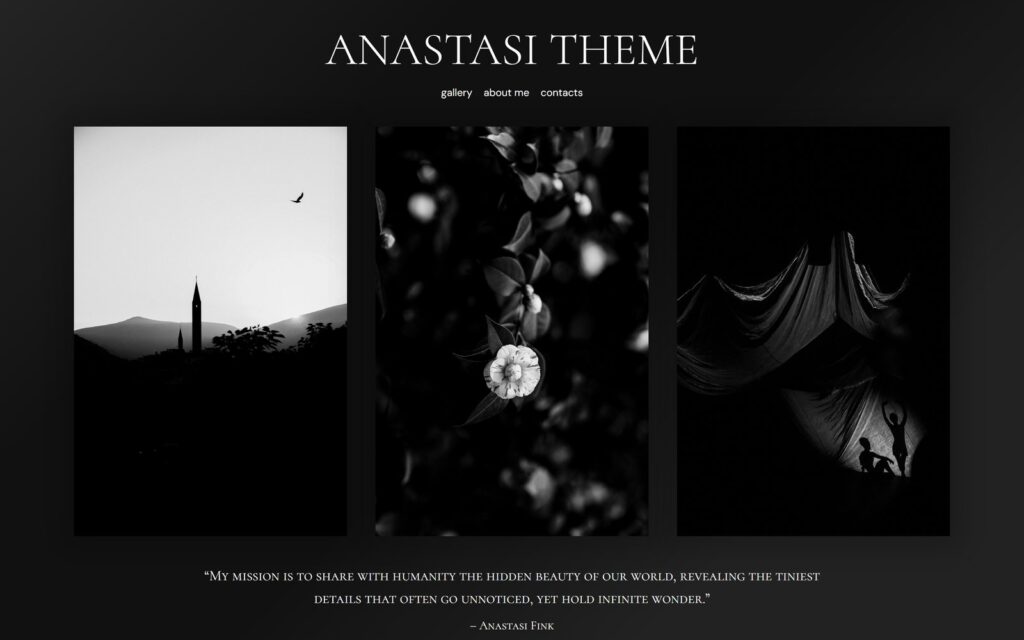
Best for: photographers who shoot in black and white and want the photos to do all the talking.
Anastasi is a minimal dark theme made for one thing: black-and-white photography. It was inspired by the photographer Anastasi Fink and carries her name. The gallery sits on a near-black background, the type is quiet, and photos can be shown full screen.
It has its own single post template, patterns for the About and Contacts pages, and nothing that competes with the pictures.
The catch: it’s narrow on purpose. Color photography, a shop or a services page will need more work than in a general portfolio theme.
Price: free; there is no paid version. 400+ active installs.
3. Bold Photography Blocks: a dark theme with more layouts
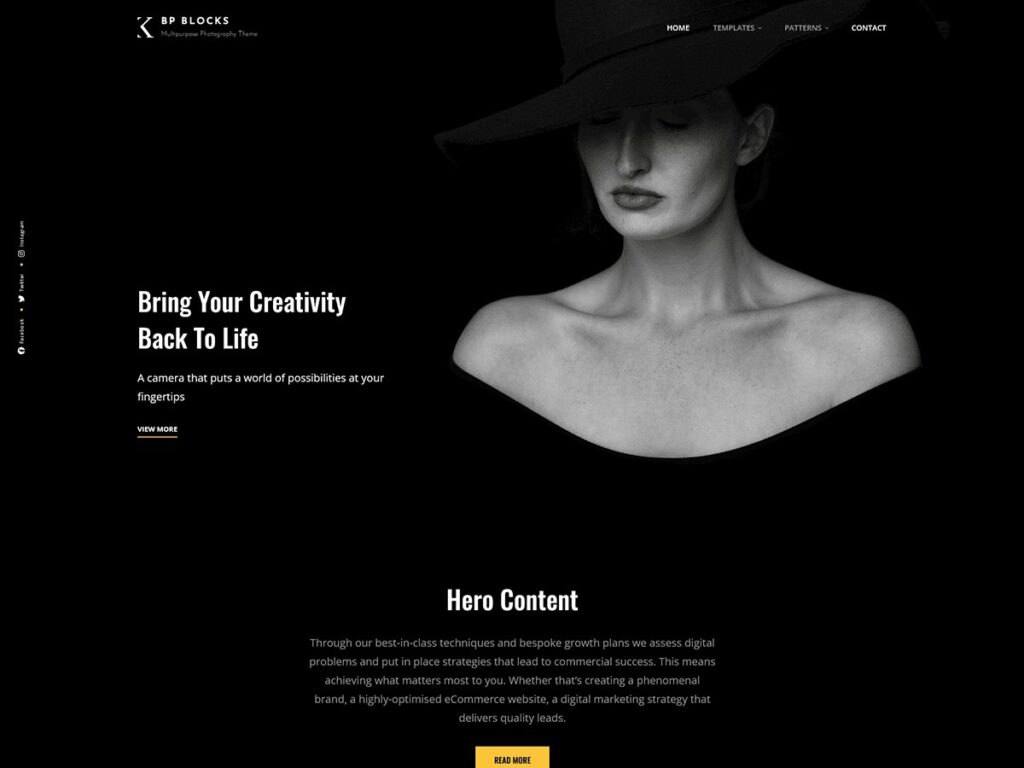
Best for: photographers who want a dark site with more ready-made sections than Anastasi has.
Bold Photography Blocks is by Catch Themes. It started as their classic theme Bold Photography and was rebuilt as a block theme, keeping the dark, bold look. It comes with 25 block patterns, 16 templates and 11 template parts, including a portfolio section, testimonials and a shop header.
The catch: the patterns cover many kinds of sites, so the personal-portfolio part is thinner than in a theme made only for that.
Price: free on WordPress.org, 300+ active installs. Last updated in October 2026.
4. Keahi PRO: a bold, graphic portfolio with a dark style
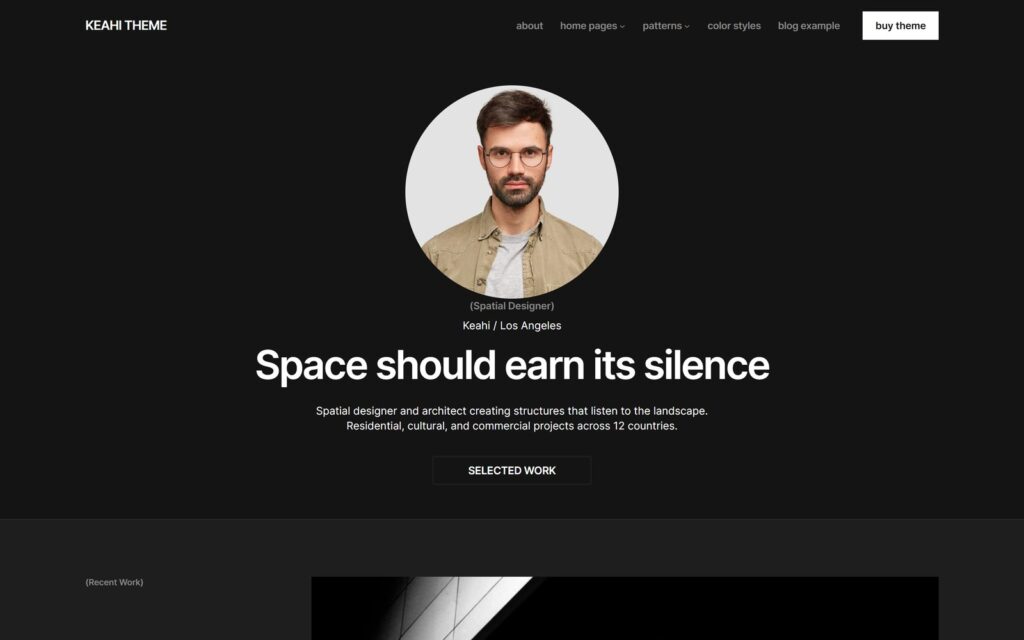
Best for: designers, architects and art directors who want strict geometry and strong contrast.
Keahi is my experiment with a harder design language: rigid grids, sharp edges, bold type. Its default look is light, warm cream with red accents. Keahi PRO adds two dark styles, Dark Mode and Midnight, so the same site turns dark in one click in Styles.
PRO has 49 patterns, 8 color styles and 7 homepages for photographers, copywriters, architects, brand consultants, UX designers, art directors and web designers.
The catch: the dark styles are only in PRO. The free Keahi on WordPress.org is light only.
Price: Keahi PRO costs €50 for a year of updates or €125 for life. The free version has 100+ active installs.
5. Dark Mode Portfolio: a dark link-in-bio page
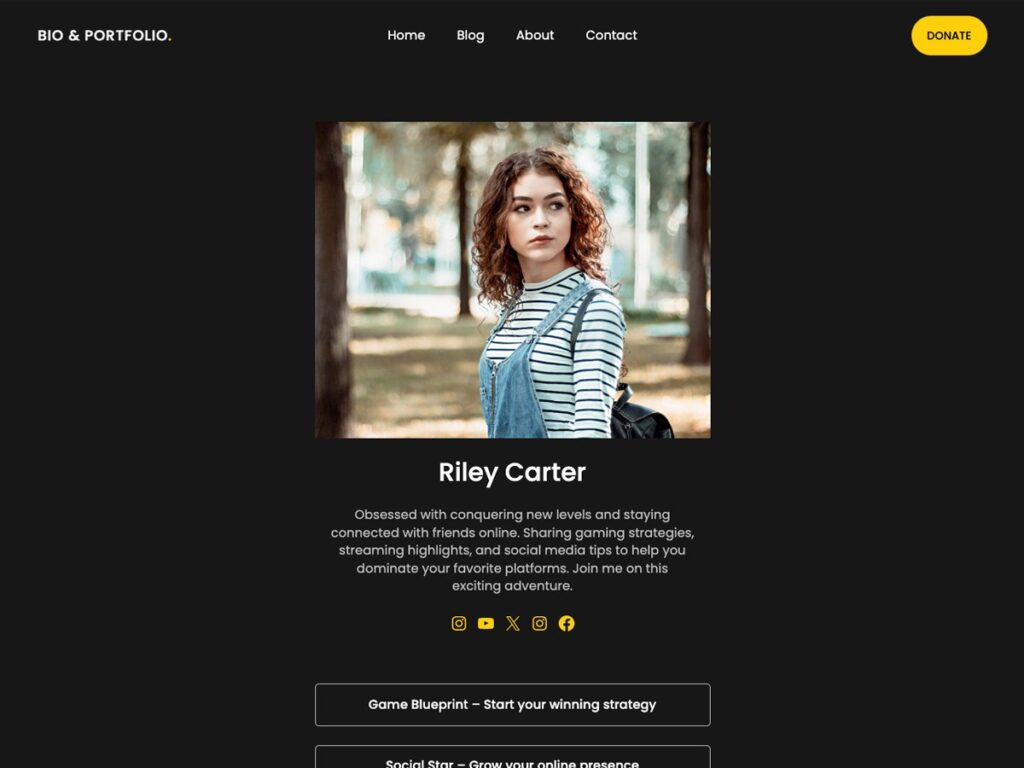
Best for: creators who need one dark page with their photo, a short bio and links, instead of Linktree.
Dark Mode Portfolio is by SuperbThemes. It’s a one-page link-in-bio theme: a profile photo, a few lines about you, social icons and a stack of link buttons, all on a dark background. It also works with WooCommerce if you want to sell a few things from the same page.
The catch: it’s a link page, not a full portfolio. For case studies and project pages, pick one of the themes above.
Price: free on WordPress.org, 700+ active installs. Last updated in January 2026.
Comparison
| Theme | Made by | Best for | Dark look | Active installs |
|---|---|---|---|---|
| Lei | Roman Fink | Experts and creatives | Default, free and PRO | 100+ |
| Anastasi | Roman Fink | Black-and-white photography | Default | 400+ |
| Bold Photography Blocks | Catch Themes | Photographers | Default | 300+ |
| Keahi PRO | Roman Fink | Designers and architects | Dark Mode and Midnight styles, PRO only | 100+ (free version) |
| Dark Mode Portfolio | SuperbThemes | Link-in-bio page | Default | 700+ |
Make any block theme dark
If you already like your theme, you may not need a new one. Many block themes ship a dark style variation:
- Go to Appearance → Editor → Styles.
- Click Browse styles and pick a dark one. In Twenty Twenty-Five, for example, those are Evening, Twilight and Sunrise. My Makani Pro has Midnight, Moss and Ink.
- Save. If the theme has no dark style, open Colors in the same panel and change the background and text colors yourself.
All of this is saved in your styles, not in the theme files, so you can always go back. Here is how to reset a block theme’s styles.
Before you go dark
- Check the contrast of small gray text. Light gray captions on black look elegant and often fail the WCAG contrast check. Run your text and background colors through a contrast checker.
- Don’t use pure white for long texts. A slightly softer off-white is easier on the eyes on a black background.
- Give dark photos some room. A night shot with black edges melts into a black page. Add space around it or a thin border.
- Upload a light logo. A dark logo disappears on a dark header.
- Think about long reads. If your site is mostly long articles, a light theme with a dark portfolio section may work better than a fully dark site.
Which one to choose
- You sell expertise and want a high-end feel: Lei.
- You shoot black and white and want nothing but the photos: Anastasi.
- You’re a photographer who needs more ready-made sections: Bold Photography Blocks.
- You want strict geometry and a light/dark switch on the same design: Keahi PRO.
- You only need one dark page of links: Dark Mode Portfolio.
All of them except Keahi PRO are free to install from your dashboard: Appearance → Themes → Add New Theme, then search by name. If you need help setting up the one you choose, I can do it for you.