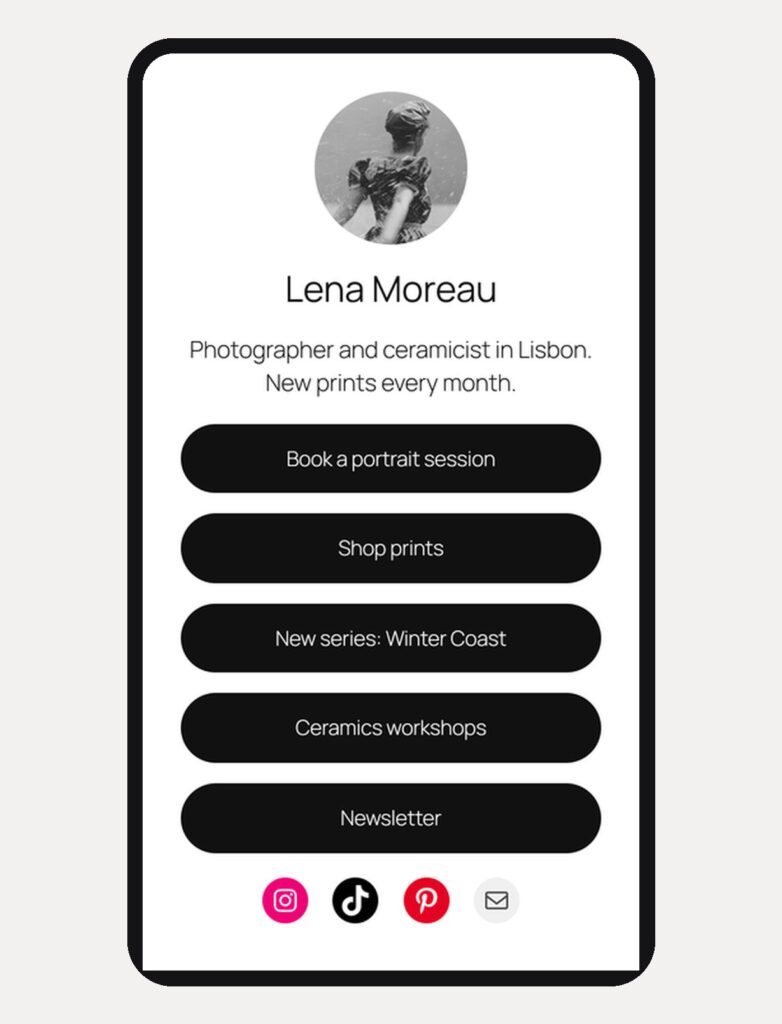
A Linktree page lives on someone else’s domain. If the service closes, your link stops working. That happened to Bento.me: Linktree bought it in 2023 and shut it down on 13 February 2026. If you already have a WordPress site, you can make a similar page at yourname.com/links. It stays up as long as your site does.
Short answer: create a page called Links, start from a link-in-bio pattern, add your links as full-width buttons, and give the page its own template without the header and footer. Then put the address in your Instagram or TikTok bio. You need a block theme, because step 3 uses the template editor. Not sure you have one? If your dashboard has Appearance → Editor, you do. I checked every step in WordPress 7.1.4 with Twenty Twenty-Five, the default theme.
Step 1. Create the page from a pattern
Go to Pages → Add Page. If your theme has starter patterns for pages, WordPress shows the Choose a pattern window. Twenty Twenty-Five has three link-in-bio patterns there; two of them are in the screenshot.
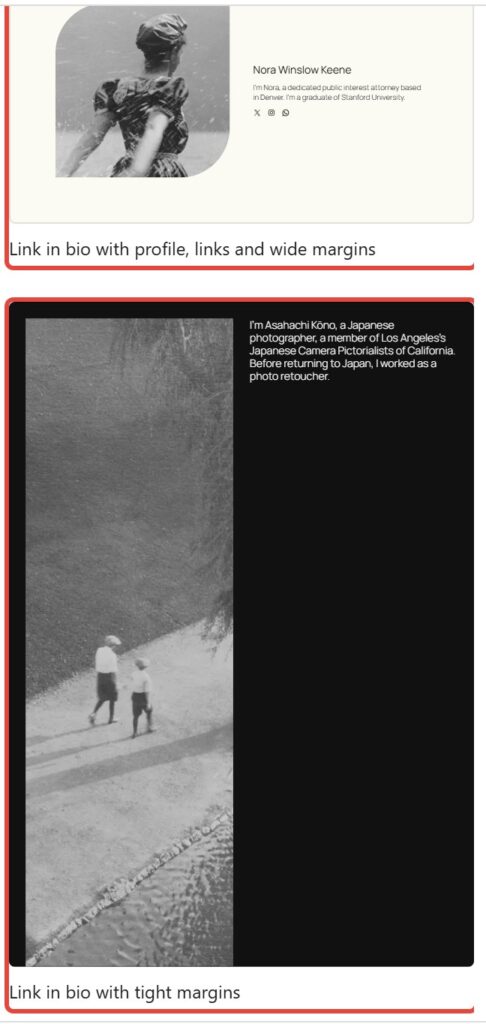
Pick one and call the page Links. The page at the top is closest to “Link in bio with profile, links and wide margins”. The patterns give you a photo, your name, a few lines of text and social icons. They don’t have the stack of buttons people expect from a link page, so you add it in the next step. If your theme shows no patterns here, start with an empty page: the steps are the same.
Step 2. Add your links as buttons
- Under your name, add a Buttons block. Type the first label and paste the link.
- Press Enter at the end of a button to add the next one.
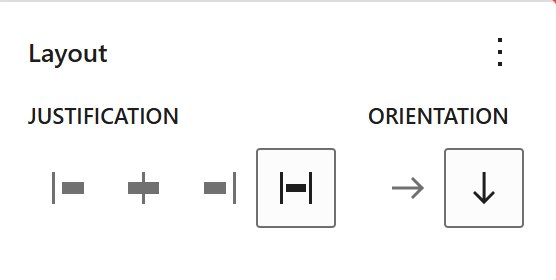
- Select the whole Buttons block, open the Styles tab in the sidebar and find Layout. Set Orientation to vertical (the down arrow) and Justification to Stretch items.
Put your most important link first. Below the buttons, the Social Icons block from the pattern links your profiles. Twenty Twenty-Five already draws the buttons black and rounded. For other colors, select the buttons and use Background and Typography in the Styles tab; the corners are under Border & Shadow.
Step 3. Remove the header and footer
Visitors from Instagram come for your links, and the site menu only gets in the way. Give the page its own template:
- In the Page panel on the right, click the template name next to Template.
- Choose Create new template, name it “Link in bio” and click Create.
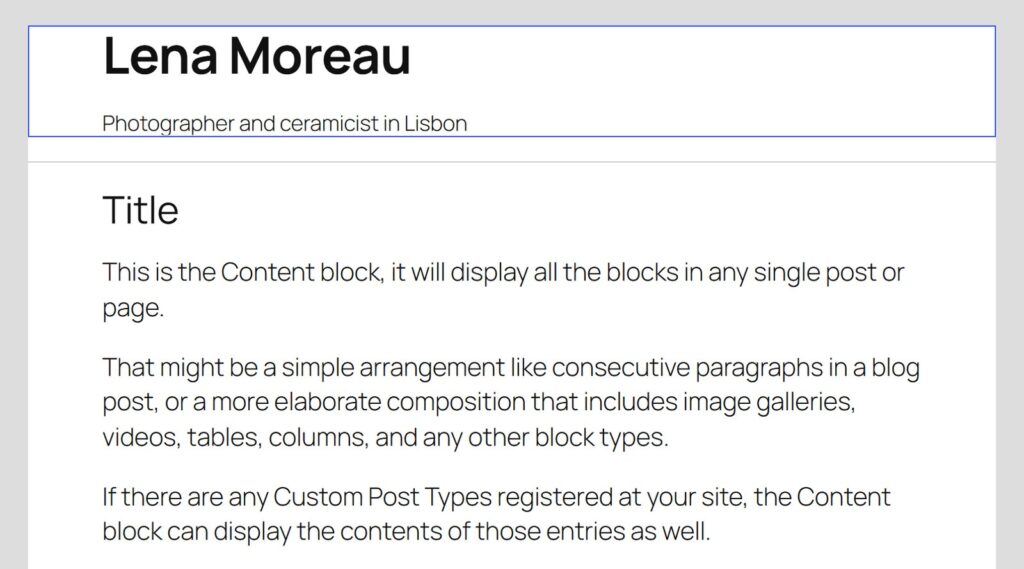
- WordPress opens the new template. It is not empty: it has the site title and tagline, a line, the page title and the content. Delete everything except the Content block, then Save.
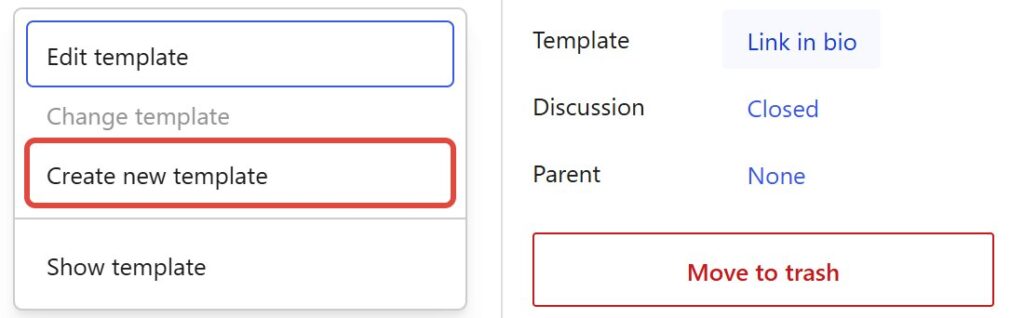
The theme’s header and footer are not in a new template, so after you delete the rest, only your page remains. This changes nothing else: the template applies only to pages you pick it for, and the rest of your site keeps its header and footer.
If you want visitors to find the rest of your site, add a small link to your homepage at the bottom of the page instead of the full menu.
Step 4. Put the address in your bio
With the title Links, the address is yourname.com/links. Check it in Slug in the Page panel, publish, and paste the address into your profile.
See the clicks
WordPress itself doesn’t count clicks on the buttons. Google Analytics 4 does, if your site has it:
- Clicks to other sites (your shop, a booking tool) are recorded by GA4’s enhanced measurement without extra setup, as the event click. Find them in GA4 under Reports → Engagement → Events.
- Where visitors came from: give each profile its own address with a campaign tag, for example yourname.com/links?utm_source=instagram&utm_medium=social in Instagram and utm_source=tiktok in TikTok. GA4 then shows them as separate sources.
Not sure your site has Google Analytics? Ask whoever set it up, or look for a cookie banner that mentions it.
Themes made for a link page
Any block theme works with the steps above. These two are built around a one-page profile, and both are whole themes for one page: they fit best if the link page is your entire site.
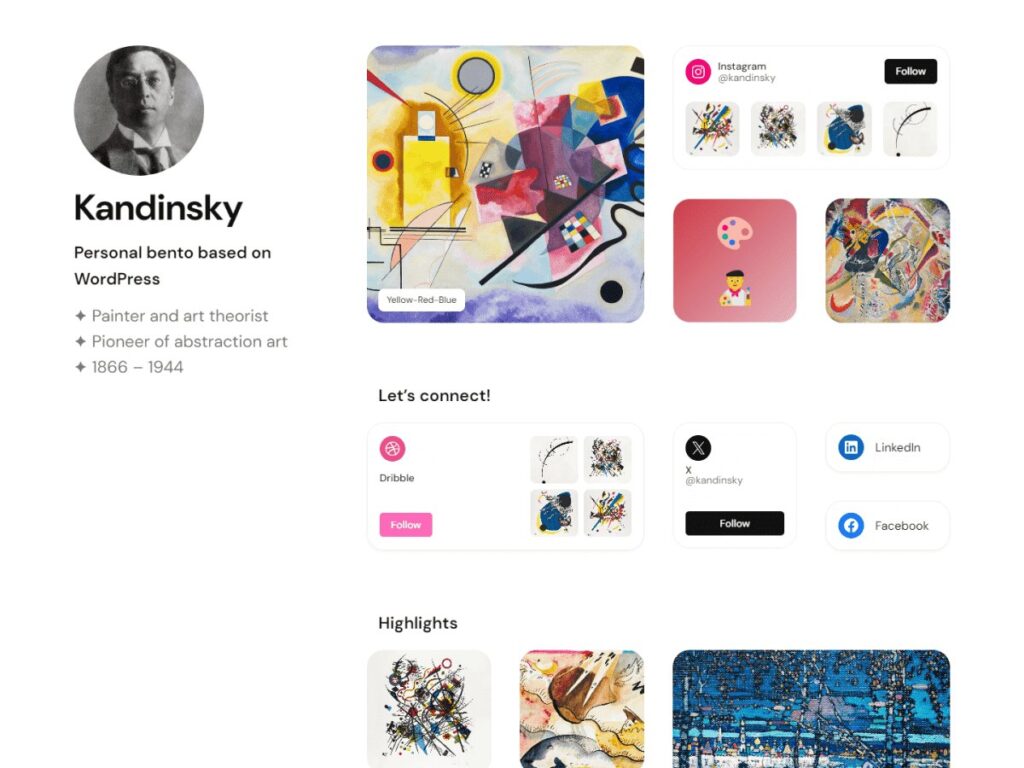
Kandinsky Bento is my free theme for a personal page that looks like a bento.me profile: your photo and bio on the left, a grid of cards with images and social profiles on the right. If you lost your bento.me page, you can rebuild it here. Its limit: the links sit in cards with small Follow buttons, not in a Linktree-style stack. 70+ active installs (November 2026).
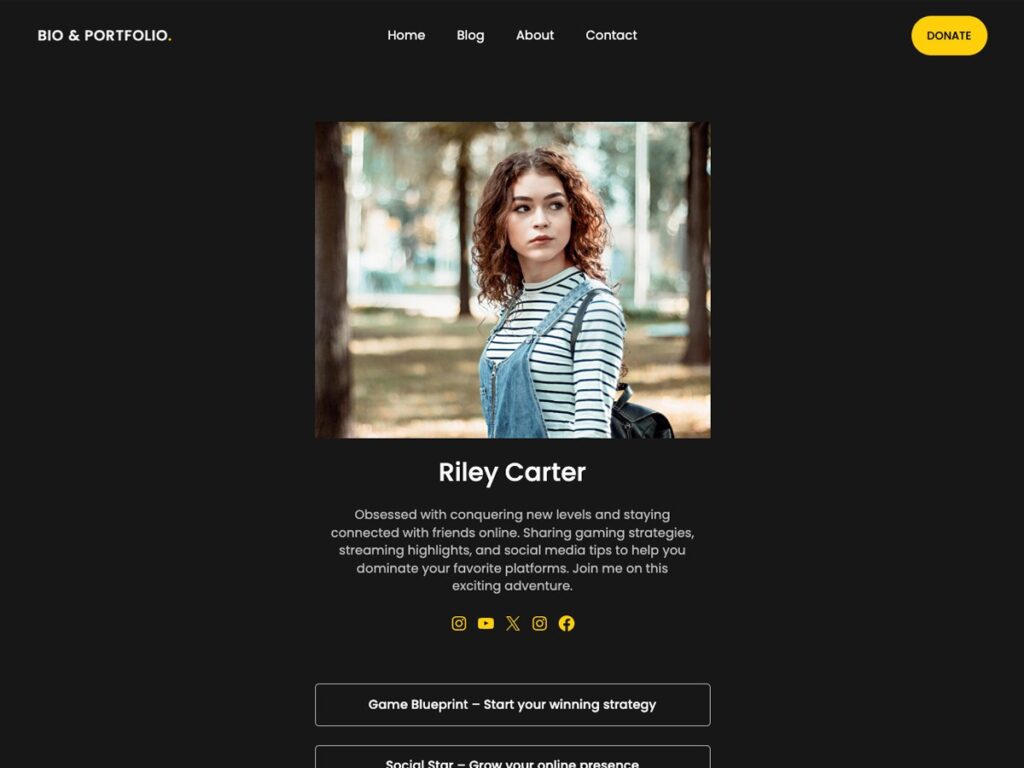
Dark Mode Portfolio by SuperbThemes is a dark link-in-bio theme: a photo, a short bio, social icons and a stack of buttons. If you want the Linktree look ready out of the box, it is closer than mine. About 700 active installs (November 2026).
If you also want a full personal site around the link page, see my list of free WordPress themes for a personal website.
Before you share it
- Open it on your phone. Instagram and TikTok are phone apps, so check the phone view first.
- Keep the address. When your projects change, edit the buttons. The link in your bio stays the same.
Want the page to match the rest of your site? I can set it up for you.