On February 13, 2026, Linktree shut down bento.me. The pages people had built there were deleted, and the old links now point to Linktree.
That’s how it goes with any page you don’t host yourself. The platform owns your profile, an algorithm decides who sees your posts, and if the service closes, your page closes with it. A WordPress site on your own domain stays yours: the domain, the text, the contacts, the portfolio.
The theme decides how the site looks and how long it takes to launch. If a theme already has About, Projects, Blog and Contact sections, you replace the text and photos, and the site can be live by the end of the evening.
Here are five free block themes for a personal website. Full disclosure: I made three of them. The other two are by other developers. All five have a free version in the WordPress.org directory.
How I chose them
I looked for themes that someone with no web experience can turn into a personal site without touching code. Each one had to meet three conditions:
- It’s a block theme. You edit the header, footer and page layouts right in the Site Editor. No child theme, no CSS.
- It has ready-made sections for a personal site: about, projects, services, testimonials, contact. You drop a section onto a page and change the text.
- The free version is on WordPress.org. The WordPress Themes Team has reviewed it, and you can install it from your dashboard.
1. Makoa: a minimal personal site
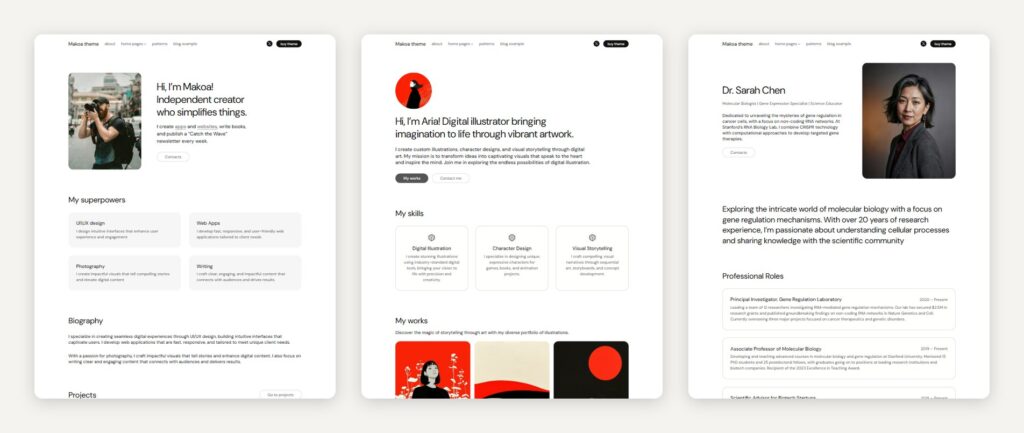
Best for: freelancers, consultants, teachers and researchers who need a personal site with a blog.
Makoa is a light, minimal theme. You’re reading this on it: romanfink.com runs on Makoa PRO. I work in it every day, so I run into its rough edges before my users do.
Makoa was my fifth theme. Before I started it, I looked at how people used my earlier themes and which sections they added most often, and built Makoa around those. I also tuned the spacing so the gaps between sections stay even, whatever you add to the page.
The free version includes the Basic homepage, 7 patterns and two styles: light and the dark “Light Off”. Makoa PRO adds the Artist homepage (a portfolio with services), the Scientist homepage (for long texts), 48 patterns and 8 color styles. Headings follow a clean SEO structure: one H1 per page and no skipped levels.
The catch: the design is deliberately quiet. If you want a bold, photo-heavy look, Lei or Ollie will suit you better.
Price: free on WordPress.org, 400+ active installs. Makoa PRO costs €50 for a year of updates or €125 for life.
2. Lei: a dark or light portfolio for experts
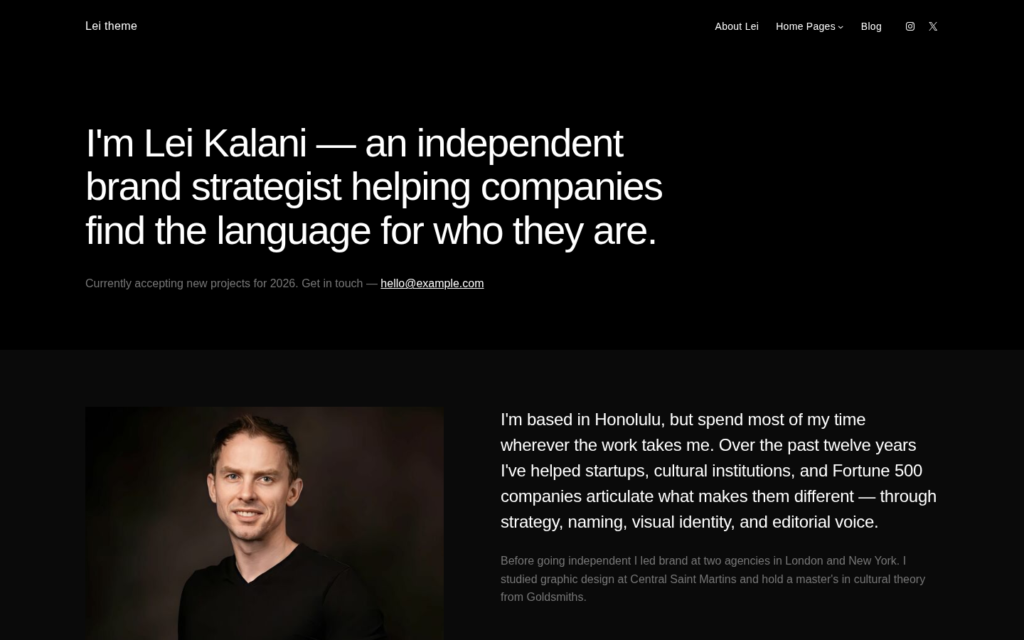
Best for: consultants, architects, lawyers, therapists and photographers. Anyone who sells their expertise and wants the site to look high-end.
Lei came out in April 2026. It has a deep black background, light editorial type and plenty of space around everything. Work and words on a dark page feel like an exhibition. If dark isn’t right for you, switch to the light style, which comes with the free version.
I made Lei for people whose skill is the product. I wanted a lawyer’s or an architect’s site to feel like a gallery portfolio. So Lei is built from core WordPress blocks, large type and a dark palette, with no page builder and no extra plugins.
Lei PRO has 8 homepages written for specific professions: brand strategist, architect, photographer, lawyer, chef, filmmaker, therapist and music producer. Pick the one closest to your work, swap in your text and photos, and you’re done. PRO also has 87 patterns and 12 color styles, from Midnight to Warm Ivory. The free version has 5 starter patterns and 2 styles, dark and light.
The catch: with 5 patterns, the free version is a starting point. Expect to build most pages yourself or upgrade to PRO.
Price: free on WordPress.org, 100+ active installs. Lei PRO costs €50 for a year of updates or €125 for life.
3. Ollie: build your own design
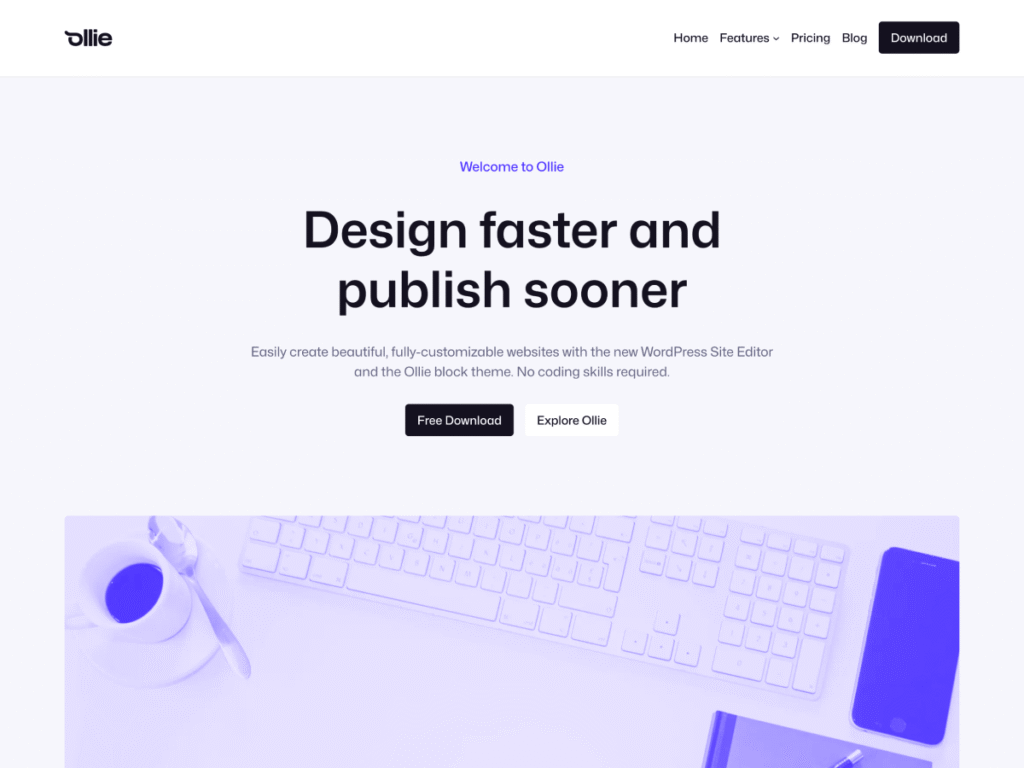
Best for: people who want to design the site themselves and don’t mind spending a couple of evenings learning the Site Editor.
Ollie is made by Mike McAlister, who created Atomic Blocks, and Patrick Posner, the author of the Simply Static plugin. It has been in the WordPress.org directory since 2023, with 6,000+ active installs and a 5-star rating from 36 reviews.
Ollie gives you a design system to work with: color palettes, typography that scales with the screen, and spacing that fits together. People build personal sites, studio sites and online stores with it.
The free version has 50+ patterns, 7 full-page layouts and 5 style presets, including Creator, Studio and Agency, plus 7 color palettes and 10 font pairings. Ollie Pro adds a cloud library with 200+ patterns and 30+ page layouts, a setup wizard and a menu designer.
The catch: the free version has no setup wizard, so you’ll spend the first half hour configuring things by hand. Ollie Pro is a subscription.
Price: free on WordPress.org. Ollie Pro starts at $89 a year for one site.
4. Twenty Twenty-Five: the default WordPress theme
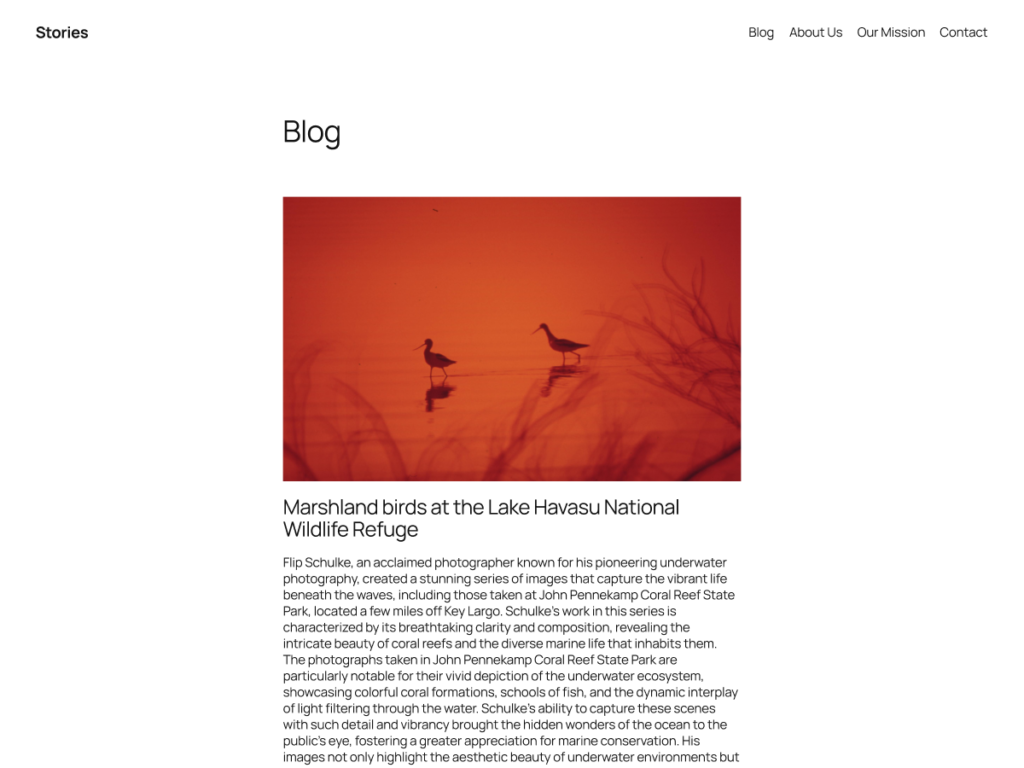
Best for: bloggers who’d rather not spend time choosing a theme.
Twenty Twenty-Five is the default theme that shipped with WordPress 6.7. It’s built by the WordPress community and has over a million active installs, which puts it among the most popular themes in the directory.
Its templates cover several kinds of blogs, from text-only to photo-heavy to magazine-style, and there are patterns for services, landing pages and portfolios. You get 8 style variations, 8 color palettes and 8 font pairings. The theme carries the Accessibility Ready tag, which means it was checked for people who use screen readers or a keyboard. It’s translated into more than 40 languages.
The catch: it’s a general-purpose theme, so there’s no ready-made “About me” homepage. You’ll put one together from patterns. And over a million other sites start from the same design.
Price: free.
5. Kandinsky Bento: a one-page profile made of cards
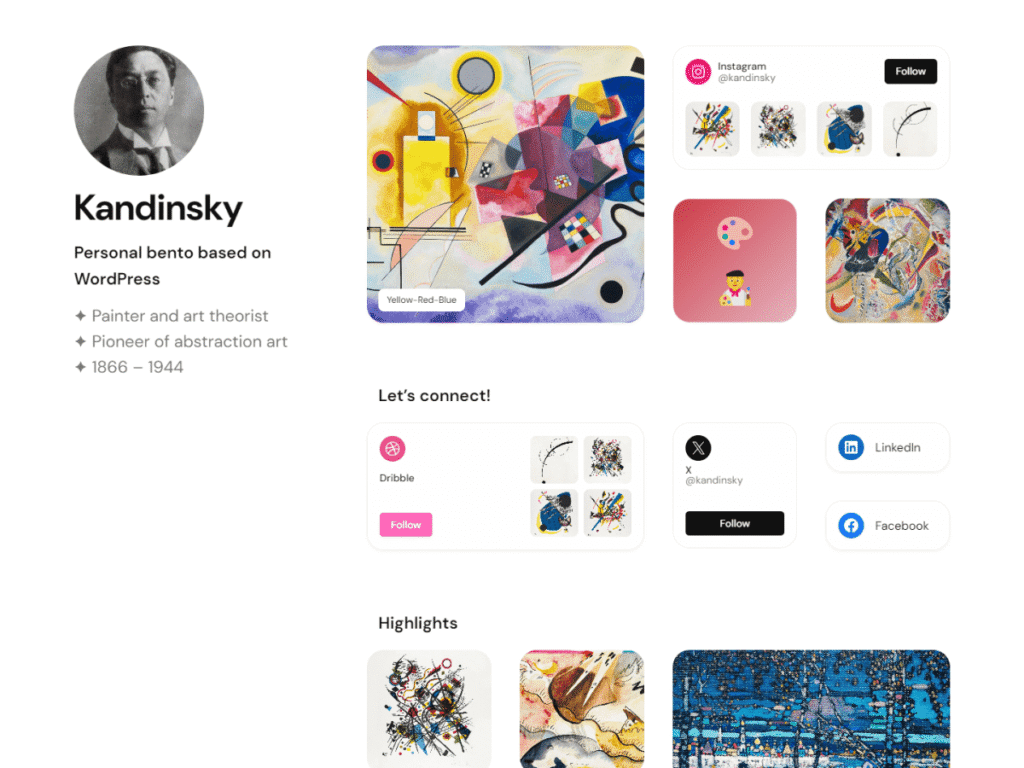
Best for: people who need one page rather than a whole site: who you are, what you do, where to find you. Also for anyone who lost their page when bento.me closed.
Kandinsky Bento is a one-page theme. You arrange your information in cards of different sizes, like food in a bento box: a photo, a couple of lines about yourself, links to your social profiles and projects. The demo is a page for Wassily Kandinsky, hence the name.
I made it in 2024, my second free block theme, to build the kind of page bento.me offered, but on WordPress. Anders Norén’s Oaknut theme was my inspiration. bento.me is gone now, while a Kandinsky page stays up on your own hosting for as long as you keep it. If you had a bento.me page, you can rebuild the same card grid here.
It comes with 3 styles (light, the dark Darkside and gray) and is translated into German and Spanish.
The catch: it’s one page. If you plan to blog or need separate service pages, choose Makoa.
Price: free; there is no paid version. 80+ active installs.
Comparison
| Theme | Made by | Active installs | Paid version |
|---|---|---|---|
| Makoa | Roman Fink | 400+ | €50/year or €125 for life |
| Lei | Roman Fink | 100+ | €50/year or €125 for life |
| Ollie | Mike McAlister and Patrick Posner | 6,000+ | From $89/year |
| Twenty Twenty-Five | WordPress community | 1M+ | No |
| Kandinsky Bento | Roman Fink | 80+ | No |
Which one to choose
- You need a simple personal site with a blog and minimal setup: Makoa.
- You sell expertise, like consulting, law or therapy: Lei.
- You want to design the site yourself and enjoy the Site Editor: Ollie.
- The blog is all you need, and you don’t want to install anything extra: Twenty Twenty-Five.
- You need a single page of links instead of Linktree or bento.me: Kandinsky Bento.
Try two or three
All five themes are free to install from your dashboard: go to Appearance → Themes → Add New Theme and search by name. Install two or three, flip through their styles and see which one makes your text and photos look best. You can switch themes at any time, and your posts and pages will stay.